- GA4 BigQuery Newsletter For Marketing Analytics
- Posts
- Create Looker Studio Reports with GA4 Data in BigQuery
Create Looker Studio Reports with GA4 Data in BigQuery
Master GA4 BigQuery with Bite-sized lessons.

Anil Batra
October 19, 2024
In partnership with

In this post I will show how you can use the GA4 data in BigQuery to build reports in Looker Studio.
To get started, make sure you have integrated GA4 and BigQuery and have a Looker Studio account ready.
Here are the steps
Go to Looker Studio and click on "Blank Report" to create a new report.
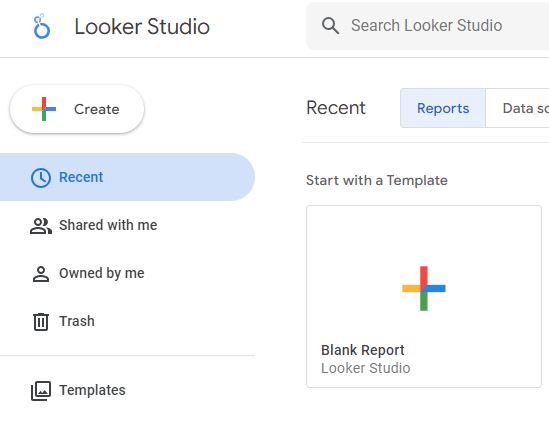
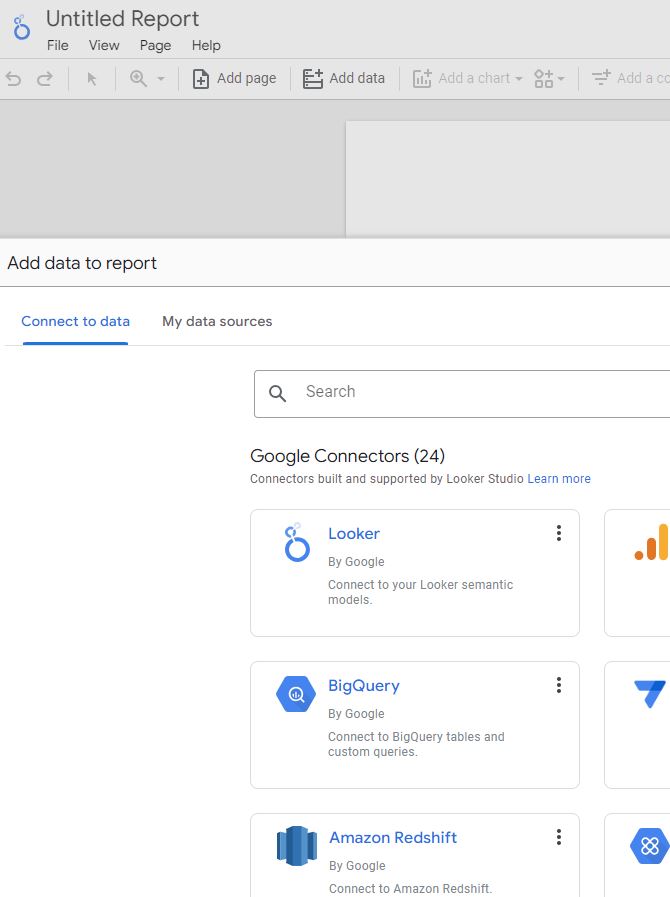
You will be promoted to "Add data to report".
Select BigQuery from the list of connectors. If you don't see BigQuery in the list then use the search bar above to search for BigQuery connector.
Pick the table that you want to use for your report. You can only pick one table from the list. To add all 4 GA4 tables you will have to make 4 data connections. Let's first connect with daily events table.
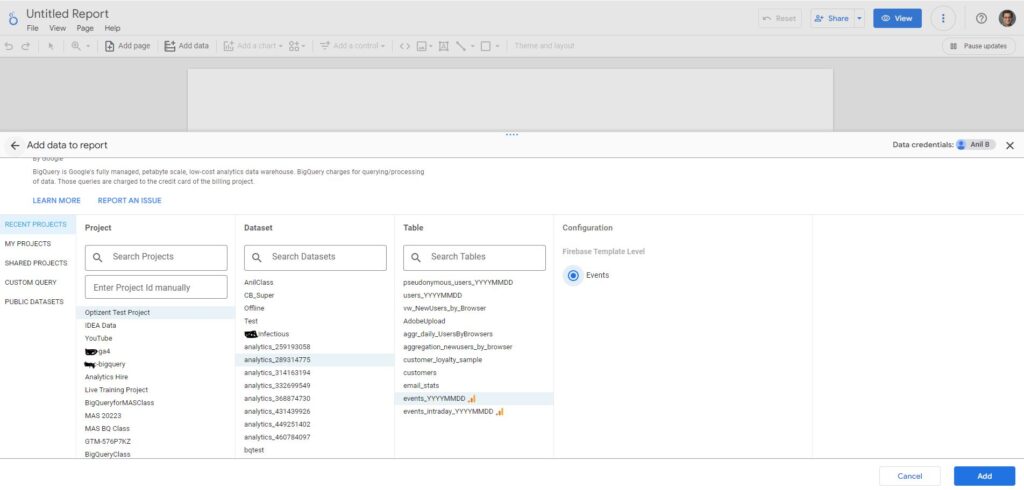
Next pick the Configuration template, there is only one available for event table called "Event". The template provides you the data in a format that you can easily use in Looker Studio. I assume there will be more templates that will be released in the future. For some of the tables, you might not see an option to pick a template. In that case you will just pick the table and go to Step 8.
Next click on the "Add" button in the top right bottom.
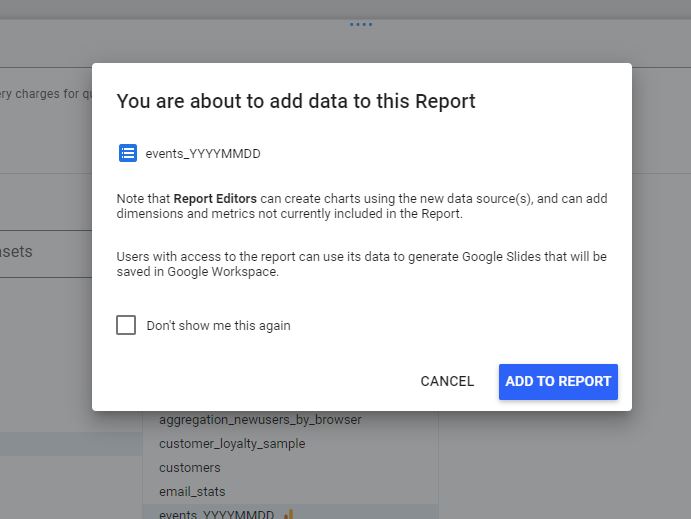
You might be promoted with a message confirming that you are adding a data to the report. Click on "ADD TO REPORT" button.
Now the data sources is added. You will see that Looker Studio automatically creates one table chart for you.
Go ahead and modify the looker studio any way you want. You will see all your dimensions and metrics available in the dimensions and metrics pickers.
Not the template that we picked in the step above will help you get the names of the paramater, counts of users etc.
To add additional tables from BigQuery (or any other data source), click on "Resource" menu option on top.
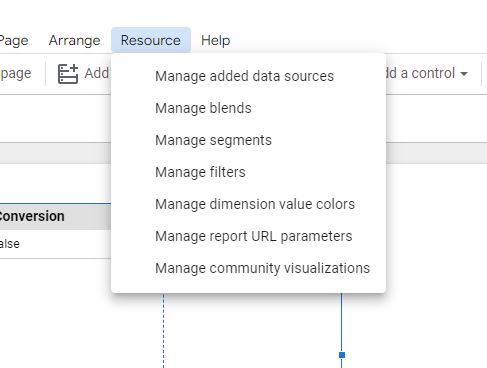
Select "Manage added data sources". This will show you all the data sources that you have added in your report.
Click on "+ ADD A DATA SOURCE" and you will be presented with the same screen that you saw in Step 6 above.
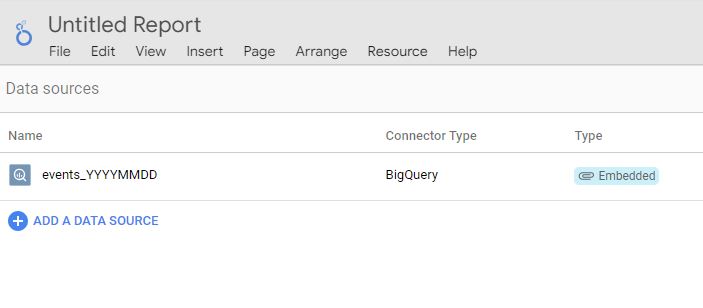
Now you are ready to build Looker Studio reports using GA4 data in BigQuery.
If you organization is data driven then the default template provided for tables is likely not going to be enough for your reporting needs. In that case you will have to create databases views and table to meet your need. You will be able to connect with those tables and views the same way we did above.
If you need help with GA4, BigQuery or Looker Studio, reach out to us at [email protected] or fill the contact us form.
Join in January, grow all year

Take on 2025 with the tools to manage leads, clients, and projects like a pro—and a chance to win a $10,000 prize package for your business.
Reply